
Who can read what
Self-hosting moves the trust. It does not remove it. This page is the whole of it.
Whoever runs a Churr server can read everything on it, private channels included.
The exception is a sealed chat, which is always between exactly two people. A shared channel can be read by the operator of every server it is shared with.
That is why Churr is built for a group to run for itself. If you would not hand the person running the server your group's letters, do not put your group's chat there either.
A sealed chat is end-to-end encrypted between exactly two people. The server stores ciphertext it cannot read, and never searches it.
One limit you should know. Unlocking sealed history with a passkey happens on a page the server supplies, in the apps as well as in the browser. A dishonest or broken-into server could capture the key at that moment. The recovery phrase, and approval from another device, do not have this weakness in the apps.
The sealed-chat encryption is written twice, in Go and in Dart, and both pass the same test vectors. Nobody outside the project has reviewed it. Do not rely on it until someone has.
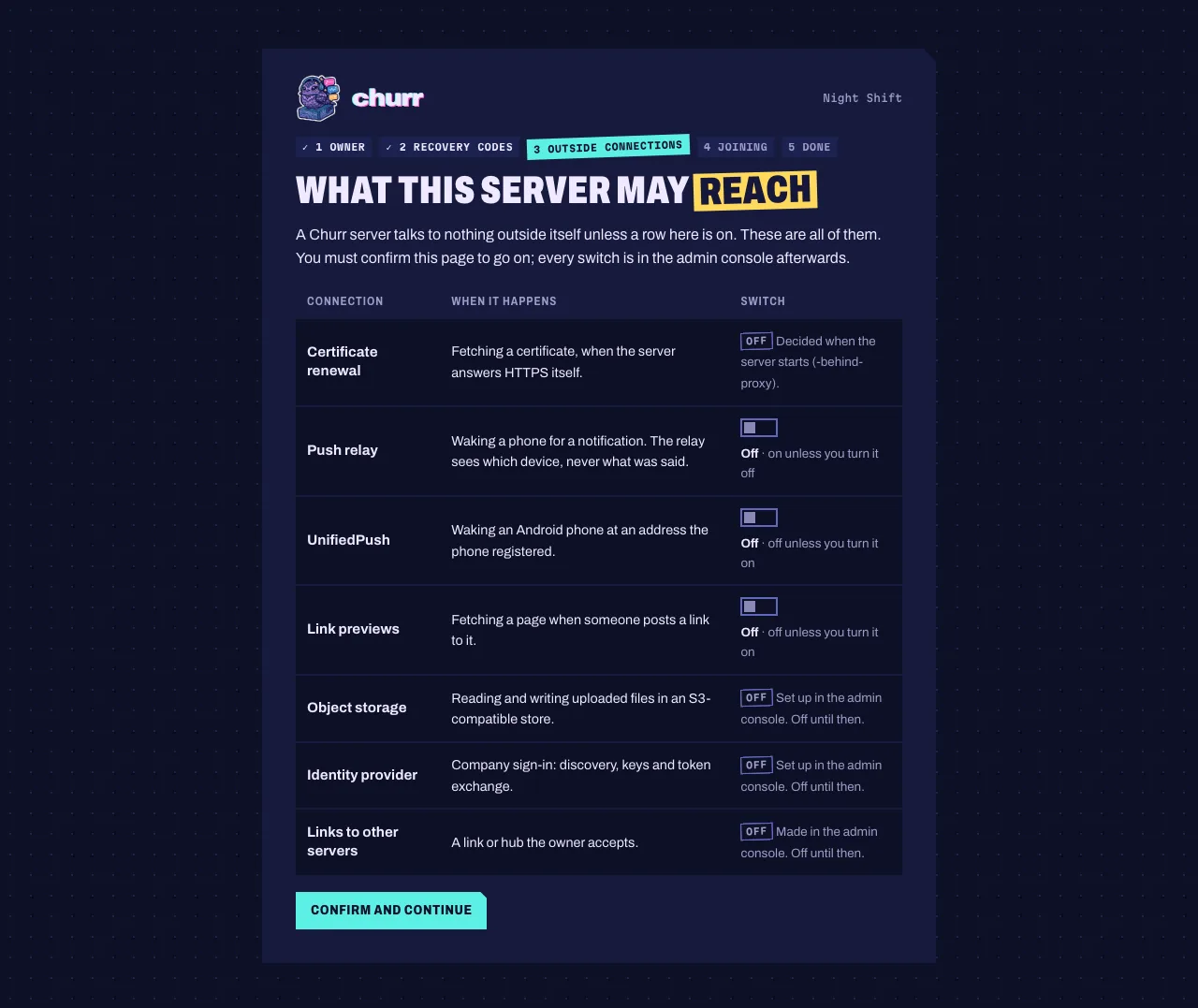
Each one has a switch, and most start off. Setting up a server stops on this list and makes you confirm it before going on.
- Certificate renewalThe server answers HTTPS itself, without a reverse proxystarts on
- Push relayA member with a phone app is mentioned or messaged while awaystarts on
- UnifiedPushAn Android phone without Google services asked to be wokenstarts off
- Link previewsA member posts a linkstarts off
- Object storageYou chose S3-compatible storage for uploadsstarts off
- Identity providerCompany sign-in is set upstarts off
- Linked servers and hubsAn admin linked a server or joined a hubstarts off
One command reaches out by itself: importing a Slack export fetches the files that export links to, unless you tell it not to.
Nothing in the data folder is encrypted except sealed chats and the server's own secrets. Use disk encryption.
A backup holds everything the server can read, so it is as sensitive as the server. Encrypt it, and keep the keys/ folder with it: without those keys the backup cannot be read back.
The owner's export contains every private channel and chat. Whoever can run it already holds the database.
Not out yet. Nearly a thing.
There is nothing to download today. The status page says exactly what is built, what is being built and what has never been tried, and it is updated as that changes.